
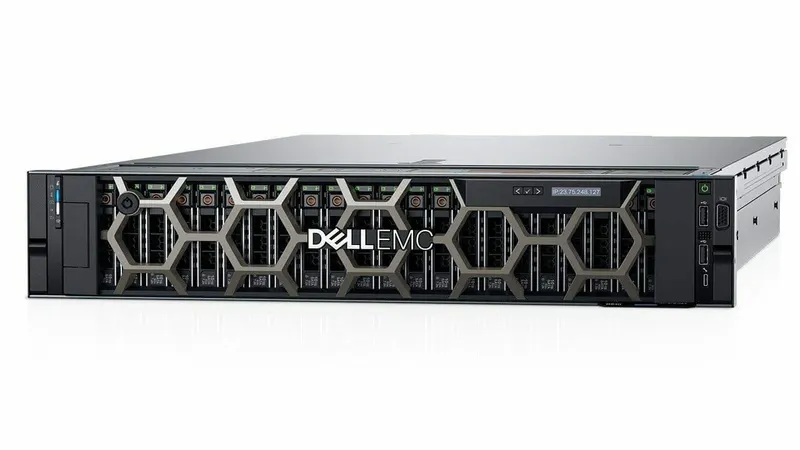
Not long ago, every business application got its own physical server: one for the domain controller, one for files, one for accounting, one for email. Most of those servers sat almost idle, each with its own power supply, warranty and failure risk. Server virtualization changed that, and VMware is the name most associated with it.
This guide explains what virtualization is, how VMware's platform works, the business benefits, the licensing changes buyers need to know about, and when an alternative such as Hyper-V or Proxmox may be a better fit.
What is server virtualization?
Virtualization uses a thin layer of software called a hypervisor to divide one physical server into several virtual machines (VMs). Each VM has its own operating system and applications and behaves like a separate server, but they all share the physical processors, memory, storage and network.
VMware's hypervisor is ESXi. It installs directly on the server hardware (a "bare-metal" or type 1 hypervisor). Multiple ESXi hosts are managed centrally with vCenter Server. Together these make up VMware vSphere.
Key VMware features explained
| Feature | What it does | Business benefit |
|---|---|---|
| vCenter Server | Central management of hosts and VMs | One console for the whole environment |
| vMotion | Moves a running VM between hosts without downtime | Hardware maintenance without stopping users |
| High Availability (HA) | Restarts VMs on another host if one host fails | Shorter outages after hardware failure |
| DRS | Balances VMs across hosts automatically | Consistent performance as load changes |
| Snapshots | Captures a VM's state before changes | Safe updates with quick rollback |
| Templates and cloning | Creates new VMs from a standard image | New servers in minutes, consistently configured |
Feature availability depends on the edition and licence. Note that snapshots are not backups; they live on the same storage as the VM.
The business benefits of virtualization
1. Fewer physical servers
Consolidating several lightly used servers onto one or two well-specified hosts reduces hardware, rack space, power, cooling and maintenance.
2. Better use of hardware
Physical servers running a single application often use a small fraction of their capacity. VMs share resources, so the hardware you buy does useful work.
3. Faster recovery
A VM is a set of files. It can be backed up whole, replicated to another host or site, and restored to different hardware, which makes disaster recovery much simpler than with physical servers.
4. Easier hardware upgrades
When the hardware reaches end of life, VMs move to the new host instead of being reinstalled from scratch.
5. Isolation
Each workload runs in its own VM. A problem with one application, or an update that goes wrong, does not affect the others.
6. Faster provisioning and testing
A new server for a project or a test environment can be created from a template in minutes.
VMware licensing: what changed
Broadcom completed its acquisition of VMware in late 2023 and made major changes to how VMware is sold:
- Perpetual licences were replaced by subscription licensing.
- Products were consolidated into a smaller number of bundles, notably VMware Cloud Foundation and VMware vSphere Foundation, with smaller editions for some markets.
- Licensing is per processor core, with a minimum number of cores counted per processor.
- The availability of a free ESXi hypervisor has changed more than once since 2024.
Because the terms continue to evolve, confirm current editions, minimums and pricing with Broadcom or an authorised VMware reseller before planning a purchase or renewal. Many small and mid-sized businesses have reviewed their options as a result.
Alternatives: Hyper-V and Proxmox
| Platform | Strengths | Consider when |
|---|---|---|
| VMware vSphere | Mature, widely supported, strong management and ecosystem | You already run VMware, or need its specific features and integrations |
| Microsoft Hyper-V | Included with Windows Server; integrates with Windows environments | Your workloads are mainly Windows and you already license Windows Server |
| Proxmox VE | Open source, includes clustering, containers and backup integration; paid support available | You want lower licence costs and have Linux skills in-house or through a partner |
See Microsoft's Hyper-V overview and the Proxmox site for details.
Do not forget Windows Server licensing for VMs
Whatever hypervisor you use, Windows Server VMs must be licensed. With Windows Server Standard, licensing all physical cores of the host covers 2 Windows Server VMs; you can license the cores again for 2 more. Datacenter covers any number of Windows Server VMs on the licensed host. For hosts running many Windows VMs, Datacenter is often more economical. Details are in our Windows Server licensing guide.
Sizing a virtualization host
Processors
Count the virtual CPUs your VMs need and allow sensible overcommitment for light workloads. More cores help, but remember both VMware and Windows Server are licensed per core.
Memory
Memory is usually the limiting factor. Add up each VM's RAM, the hypervisor's needs and growth headroom. Servers such as the Dell PowerEdge R740 offer 24 memory slots for growth.
Storage
VMs need fast random I/O. Use enterprise SSDs (SAS or NVMe) in RAID 10 for VM datastores, or shared storage for multi-host clusters with vMotion and HA. See SSD vs HDD for business.
Network
Separate management, VM traffic, storage and vMotion networks where possible, and use redundant links to two switches for important hosts.
Compatibility
Check that the server, RAID controller and network cards are on the hypervisor's hardware compatibility list for the version you plan to run.
Real-world examples
Consolidating four ageing servers
A business runs a domain controller, file server, accounting server and a small database on four older physical servers. One modern 2U host with SSD storage and enough memory runs all four as VMs. A NAS backs up the VMs nightly and copies them off-site. Power use, maintenance and failure points all drop.
A two-host cluster for uptime
A company that cannot accept long outages runs two hosts with shared or replicated storage, so VMs restart on the second host if the first fails.
A test lab
An IT team uses a refurbished server as a virtualization lab to test updates and migrations before applying them to production.
Backups for virtual machines
Virtualization makes backup easier, but it does not do it for you. Use backup software that protects whole VMs, keeps versions, and stores copies on a separate device and off-site. Synology's Active Backup for Business, for example, supports VMware and Hyper-V VM backups on supported NAS models. See why every business needs a NAS backup solution.
Is virtualization right for your business?
- Yes, if you run two or more server workloads, want easier recovery, or plan to replace ageing servers.
- Maybe not, if you have one simple workload and no plans to grow, where a single physical server or a NAS may be enough.
Moving physical servers to virtual machines
Converting existing physical servers to VMs, often called P2V, is how most businesses start. A typical approach:
- Inventory each server: roles, applications, data size, licences and dependencies.
- Decide which workloads to convert and which to rebuild fresh on a new operating system.
- Size the new host for all VMs plus growth.
- Convert or rebuild one workload at a time, starting with the least critical.
- Test, switch users over and keep the old server available for a short rollback period.
- Set up VM backups before retiring the physical servers.
Common virtualization mistakes
- Putting all VMs on slow hard disks, causing poor performance
- Over-allocating memory so the host starts swapping
- Treating snapshots as backups, or leaving old snapshots running for months
- Running a single host with no backup plan for the host itself
- Forgetting Windows Server and application licensing for each VM
Products and services for this
- Dell PowerEdge servers for virtualization hosts
- Server RAM and enterprise SSDs
- Windows Server Standard and Datacenter licences
- VMware ESXi, Hyper-V and Proxmox setup and support
Quick answers
What is VMware virtualization? +
VMware’s ESXi hypervisor runs on a physical server and divides it into multiple virtual machines, each with its own operating system. vCenter manages hosts and VMs centrally.
What are the benefits of server virtualization? +
Fewer physical servers, better use of hardware, faster backup and recovery, easier hardware upgrades, isolation between workloads and faster provisioning.
Is VMware still free? +
Broadcom moved VMware to subscription licensing and has changed the availability of a free ESXi edition more than once. Check Broadcom’s current terms.
Is Hyper-V a good alternative to VMware? +
For mainly Windows environments, often yes. Hyper-V is included with Windows Server and is widely used by small and mid-sized businesses.
Do I need Windows Server licences for virtual machines? +
Yes. Standard covers 2 Windows Server VMs when all host cores are licensed; Datacenter covers any number of Windows Server VMs on the licensed host.
Are VM snapshots a backup? +
No. Snapshots are stored with the VM and are meant for short-term rollback. Use proper backup software that stores copies on separate storage and off-site.
Planning a virtualization host or moving off ageing servers? We supply Dell servers, memory and SSDs, and set up VMware, Hyper-V or Proxmox.